By Elena Marsh
Call Revenue Tracking: How to See Which Calls Actually Make You Money
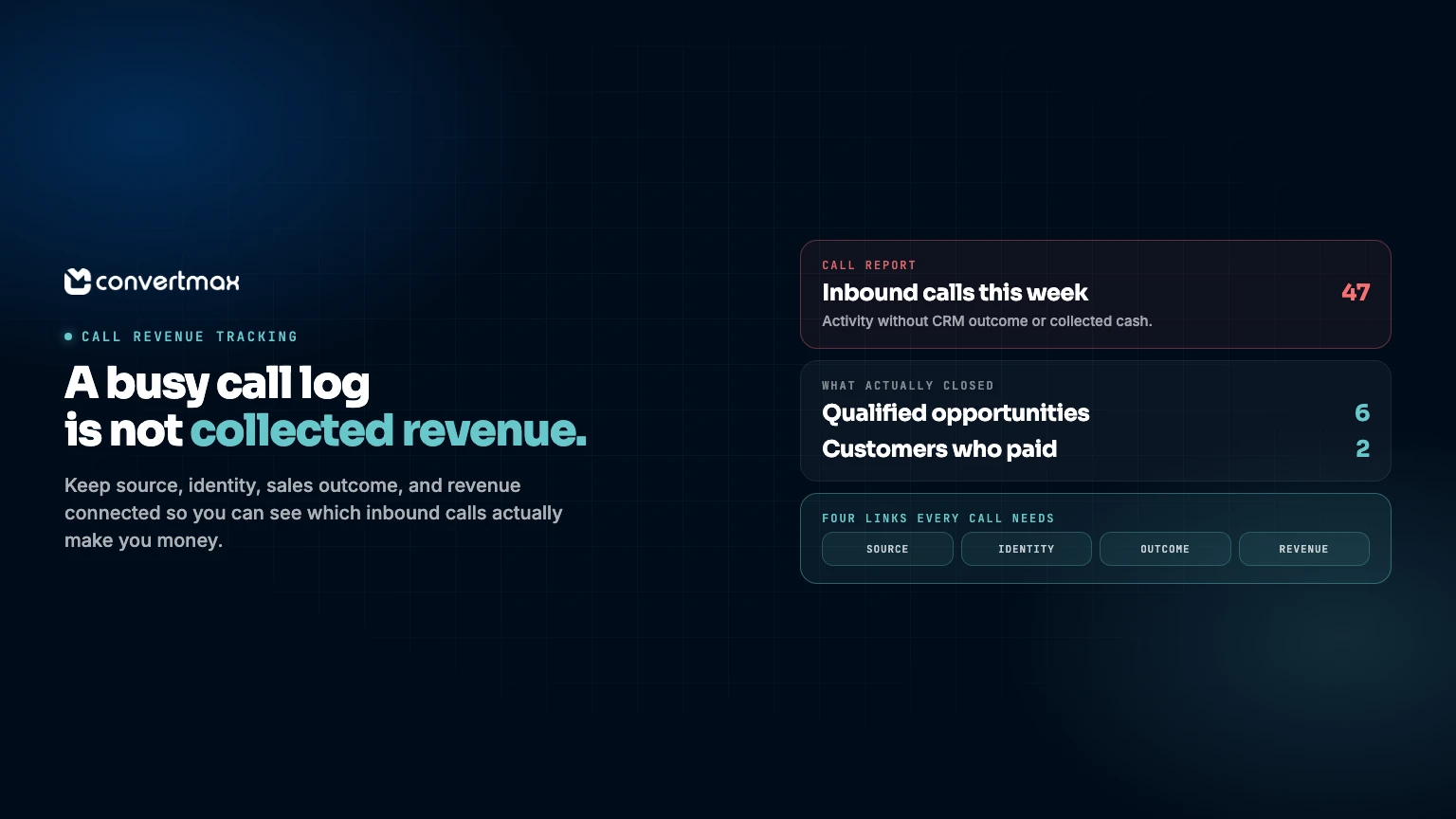
The phone rings after a marketing push. Good sign, perhaps. But a busy call log is not the same thing as commercial value.
Some calls are wrong numbers. Some come from existing customers. Some become customers. If those outcomes live in different systems, reporting stops at the least useful question: “How many calls did we get?”
The tougher and more useful question is which calls produced collected revenue? Call revenue tracking follows an inbound call from its source to the CRM and then to revenue. It separates a loud channel from one that is paying back.
The measurement gap starts after the phone rings
A marketing platform can report a click or ad cost. A call platform records that the phone rang. The CRM shows whether a deal moved to won. Billing records may show what was collected. Each system holds a piece of the answer. None holds all of it.
The connection is often lost between the call and the CRM record. A caller may dial a tracked number after paid search, an organic result, a local listing, or a referral. Yet source details can disappear when staff create a CRM contact. When the opportunity closes weeks later, the link to the campaign is gone.
That is why call counts are easy to overvalue. Ten calls from one source might include routine questions and repeat callers. Three from another could turn into two high-value customers. Without the CRM and revenue links, both sources are judged on activity rather than contribution.
The four links every call record needs
Useful call revenue tracking keeps four connections intact, even when they are held in separate tools.
| Link | What to capture | Why it matters | Common break point |
|---|---|---|---|
| Source | Channel, campaign, page or referral context, and call time | Shows what caused the call | Source context stays in an ad or call tool. |
| Identity | Caller phone number and matching contact or lead | Connects the conversation to a person | Duplicate contacts, shared phones, or entry errors. |
| Sales outcome | CRM status, opportunity, owner, and close date | Separates inquiries from sales progress | Stages are inconsistent or records go stale. |
| Revenue | Revenue amount plus booking or collection date | Relates marketing cost to business value | Revenue remains in billing or commerce data. |
Start with source. For web-driven calls, keep the preceding page and campaign context. For offline calls, give staff clear source options. “Other” is sometimes the honest answer, but it should not become a catch-all.
Then match the caller to the CRM contact. Phone numbers are a practical matching key, though they need care. People can call from more than one number, and a family may share one. Good records leave those situations available for review.
Finally, connect the opportunity and customer to revenue. Choose the revenue definition before reporting: signed, invoiced, collected cash, or another internal measure. Apply it consistently.
Build a call-to-revenue record, not a call report
A call report begins and ends with the call. A call-to-revenue record follows the journey to a meaningful commercial outcome. It does not need to be complicated on day one, but marketing, sales, and finance do need a clear handoff.
Start here:
- Define which inbound calls count as leads. Keep non-lead calls in the data, but do not treat them as opportunities.
- Retain marketing source context with the call details.
- Create or match the caller to a CRM contact, then associate that contact with the relevant opportunity.
- Use agreed CRM stages and a close date when an opportunity is won or lost.
- Decide which revenue field marketing will be judged against, then connect it to the customer and opportunity.
- Review exceptions, including duplicate records, unknown-source calls, transfers, repeat callers, and revenue without a source.
The first pass will have gaps. A call may not reach an opportunity. Billing may use another customer ID. Or a call may be marked direct because campaign details were lost. Each gap points to a process fix, not a reason to return to total call volume.
Reconcile before trusting the answer
Revenue reporting can look polished and still be wrong. Before changing a budget, reconcile a small sample. Trace a closed customer back to the CRM contact, call, and source. Then select a campaign call and check its outcome and revenue status.
Make sure date ranges and time zones match across reports. Confirm whether transferred calls are counted once or more than once. Separate a repeat service call from a new sales opportunity. Watch for duplicate contacts. And do not report a closed-won opportunity as collected revenue if the agreed definition is cash received.
These checks protect budget decisions. Cutting paid search because revenue landed under another contact is a bookkeeping response. Raising spend because repeat customers counted as new acquisition is one, too.
Use commercial questions to guide the review
Once the connections hold together, move past call counts. Ask which sources create qualified opportunities, not merely longer call logs. Compare campaigns by revenue connected to the customers they created, not only cost per call. Look at the time from first call to closed revenue so expectations fit the sales cycle. Flag sources that create conversations but few opportunities. The issue may be the message, targeting, or intake process.
This matters for local and high-value services. One customer can outweigh dozens of low-intent calls. A channel that looks modest in its first week may matter more once the sales cycle is complete. The team gets a record instead of a collection of memories.
For businesses that do not want to stitch this together themselves, Convertmax is a done-for-you revenue attribution platform. It connects first-party journeys from first click to closed revenue, bringing together attribution, CRM intelligence, call tracking, customer journey reporting, first-party tracking, identity resolution, multi-touch attribution, campaign ROI, and customer lifetime value reporting. It works with stacks that can include Google Ads, HubSpot, GoHighLevel, call platforms, commerce, billing, analytics, and CRM systems. It does not replace the tools your team already uses.
For the broader demand picture beyond the phone, see lead source tracking.
If you need to know what is making you money, start with the calls that become customers. Book a Convertmax demo or get a free revenue and attribution audit to see where call, CRM, and revenue records are coming apart.