By Cole Brennan
iOS 27 Tracking Changes: What They Mean for Marketing Attribution and Revenue
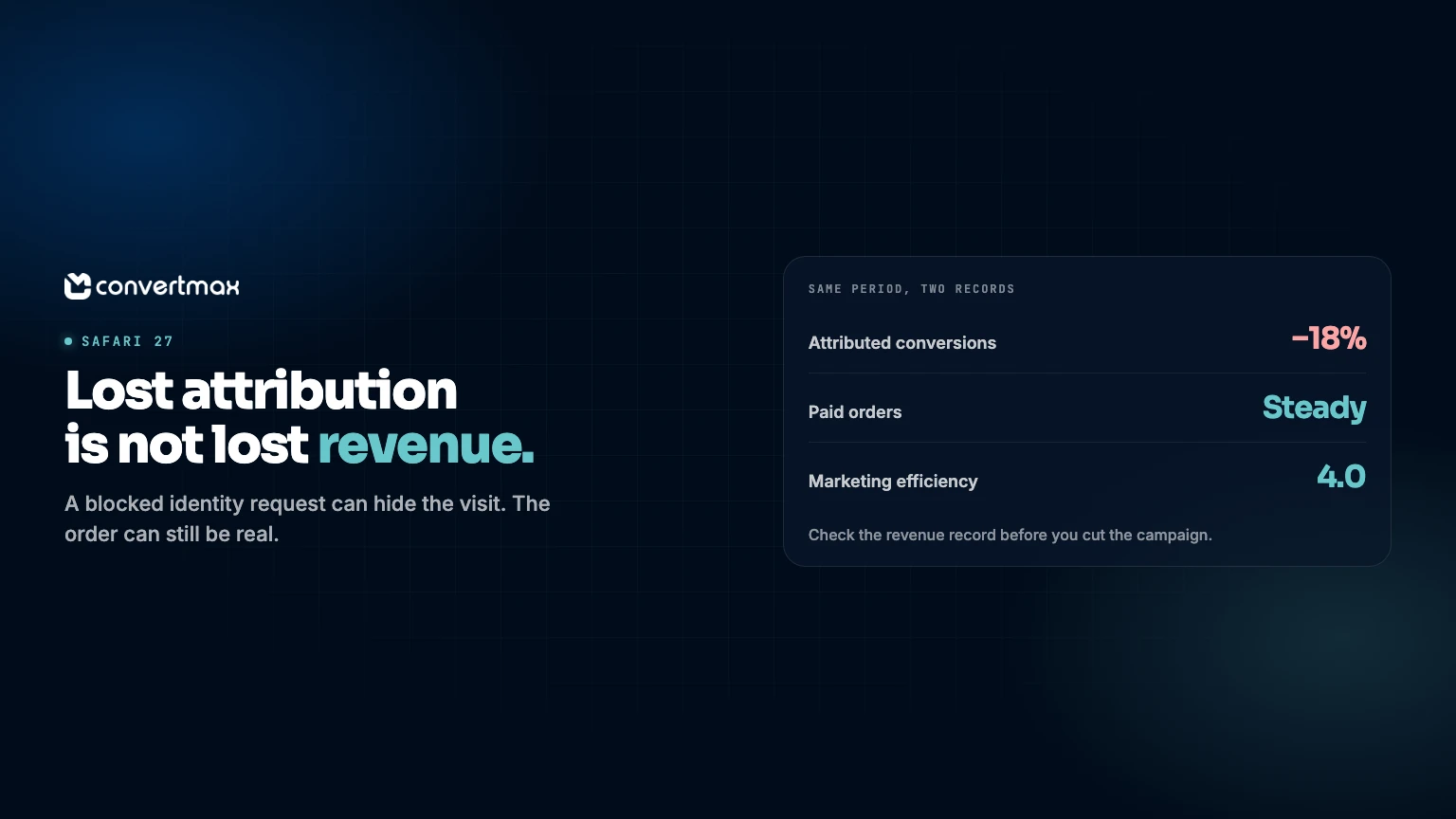
A drop in attributed conversions doesn’t always mean a drop in sales. Sometimes it means a piece of the customer journey stopped reaching your reporting tools.
That distinction matters with Apple’s latest privacy change. Safari 27 blocks network access to certain third-party identity resolution services—the companies that help recognize people across websites. For marketers, the immediate question isn’t whether all tracking has stopped. It’s whether any part of the measurement stack relies on a service that Safari now blocks, and what that means for the decisions being made from the data.
Here’s what changed, what hasn’t, and how to check your numbers before adjusting your budget.
What changed with iOS 27 tracking?
With the 27 releases of iOS, iPadOS, macOS, and visionOS, Apple added a new restriction against certain identity resolution infrastructure. According to Apple’s WebKit team, Safari and WebKit block network access to these services at the domain level.
The practice Apple describes works like this: a third-party service collects an email address entered on a website, creates a persistent identifier linked to it, and uses that identifier to help recognize the person across sites. Apple is targeting the infrastructure behind that kind of cross-site identification.
This is different from a rule that merely limits how long a cookie lasts. When a browser request to a blocked service doesn’t go through, that service doesn’t receive the data from that request.
The change is not limited to iPhones. It also applies to the other Apple platforms named above. The exact impact on other browsers and in-app browsing experiences depends on their implementation, so test the environments your customers actually use rather than assuming they all behave the same way.
Does iOS 27 block all marketing tracking?
No. Apple has not announced a blanket ban on advertising pixels, analytics, or conversion measurement.
In fact, WebKit’s tracking prevention policy says measuring advertising effectiveness and analytics within a single website are not practices it intends to disrupt. But that is not a guarantee that every measurement tool will be unaffected. Apple also says these activities may be affected unintentionally and that it does not grant exceptions to specific companies.
That distinction is important if you’re assessing vendors. A tool can have a legitimate measurement purpose and still depend on a domain or technique affected by a browser restriction.
Which marketers should pay the closest attention?
The direct impact depends on the services in your stack. If you use identity partners to match people across websites or build programmatic audiences, ask how their services work in Safari 27. The same applies if your agency or demand-side platform uses those partners on your behalf.
The effects can extend beyond an attribution report. If a blocked domain supports both identity matching and ad delivery, the disruption could affect whether an ad appears as well as how its performance is measured. Ask your agency or platform provider about delivery and measurement across the browser and operating system versions your customers use.
If your campaigns run mostly through major ad platforms and your analytics still look normal, that’s useful evidence—but it isn’t a reason to skip a check. Ask vendors which parts of their setup depend on third-party identity services and how they monitor browser-specific changes.
Why lost attribution doesn’t automatically mean lost revenue
Imagine a shopper sees an ad, visits your store in Safari, and later places an order. Your ecommerce platform records the order, but an attribution service misses the earlier visit because a required request never reaches its destination.
You may still have a real sale. What you’ve lost is some evidence about how that sale happened.
That can make a campaign look less effective than it really is. It can also move revenue into an “unknown” or “direct” category, depending on how your reporting is set up. A team that reacts only to the attribution report might reduce spend on a campaign that is still contributing to sales.
The reverse is possible too: an attribution report can look healthy while actual revenue declines. That’s why it helps to look at marketing signals alongside orders, paid invoices, and other business outcomes—not as interchangeable numbers, but as different pieces of evidence.
How to check whether Safari 27 is affecting your data
You don’t need to rebuild your entire tracking stack to start. Begin with the points where your data should agree, then investigate where they don’t.
1. Compare recorded conversions with actual outcomes
For an ecommerce business, compare completed orders in your store platform with purchase events in your analytics and attribution tools. For a lead-generation business, compare submitted forms or calls with records in your CRM, then check how many became qualified opportunities or paid customers.
Use the same date range, time zone, event definition, and refund or cancellation treatment. Deduplicate events before comparing totals. A purchase event and a paid order are not always recorded at the same moment, and analytics totals can differ for reasons unrelated to Safari.
If you see a widening gap, investigate it. Don’t assume the entire difference is caused by Apple’s update—or that every missing event should have been collected regardless of the customer’s consent choices.
2. Look for a browser-specific change
Segment your analytics by browser and, where available, operating system version. Compare Safari trends with another relevant browser over the same period, using rates as well as raw counts. For example, look at the share of observed purchase events with an identifiable campaign source, not just the number of Safari events.
If your commerce system reliably records browser information, you can also compare orders and recorded purchase events within that segment. If it doesn’t, don’t infer the browser for an order from incomplete attribution data.
A Safari-specific break is a clue, not a diagnosis. Changes in traffic mix, consent choices, campaign landing pages, site releases, and tracking configuration can produce similar patterns. Check those before attributing the difference to iOS 27.
3. Test the actual customer path
Run a controlled test on an up-to-date Safari device, using the consent settings you want to verify. Follow a representative path: click a campaign link, visit the landing page, and complete a test purchase or form submission. Check which requests and events fire, what reaches each system, and whether the final outcome can be linked to the observed visit.
If something fails, identify the exact request or handoff. A broken tag, blocked vendor domain, missing campaign parameter, consent setting, or delayed order sync requires a different fix. Repeat the test after relevant site or vendor changes.
4. Ask your vendors specific questions
“Are we compliant?” or “Does tracking still work?” is unlikely to give you enough detail. Ask instead:
- Which domains receive browser-side requests, and have you tested them in Safari 27?
- Do you rely on an identity provider that matches people across other companies’ websites?
- What changes have you observed in Safari event delivery or attribution, and when were they last tested?
- How do your browser-side and server-side events handle consent and deduplication?
- If a browser event is unavailable, does your report show it as missing, modeled, or unattributed?
The answers should help you separate an actual dependency from a general claim that a platform is “privacy-proof.”
Where first-party and server-side tracking fit
First-party data is information your business collects through its own customer relationships and properties, such as a website visit, a form submission, or a purchase. Used appropriately, it gives you a stronger foundation for measuring the activity you can actually observe. Our guide to first-party data covers the basics.
For example, a retailer can connect an observed visit to a later purchase when it has a reliable, permitted way to do so. A service business can connect a form submission or phone call to a CRM opportunity and paid invoice. Both approaches are more useful when the revenue outcome is included alongside the marketing touchpoint.
Custom tracking domains in Convertmax
Convertmax has always supported custom tracking domains. Instead of sending tracking events to a Convertmax-branded address, you can use a subdomain of your own website, such as t.yourdomain.com, as the event endpoint. This keeps tracking requests aligned with your domain and can reduce the chance of some requests being blocked.
Custom domains are available on request. To set one up, create a CNAME record pointing your chosen subdomain to convertmax.net, contact Convertmax support to have it enabled, and update your site configuration once it’s active. See the custom domain setup guide for details.
But collecting data on your own domain does not make every journey complete. Browsers can limit storage, visitors can decline consent, and people can switch devices or clear data. First-party data also isn’t automatically compliant: what you collect, how you use it, and what permissions you need still matter.
Server-side events can help you send eligible conversion information from one system to another. They are not browser requests, so this particular browser-level block does not directly govern those server-to-server transmissions. But server-side tracking cannot recreate a touchpoint that was never observed, and it does not remove consent or privacy obligations. If you send both browser and server events, deduplicate them so the same conversion isn’t counted twice.
The goal is a dependable measurement system—not a workaround for a customer’s privacy choice.
Use revenue to put attribution changes in context
If reported return on ad spend falls, compare it with the business outcomes you can verify for the same period. Are paid orders also down? Has total revenue changed? Did ad spend rise? Are refunds, margins, or lead quality moving?
One useful check for ecommerce is marketing efficiency ratio: total store revenue divided by total marketing spend. If a store records $100,000 in revenue on $25,000 in marketing spend, its ratio is 4.0. If platform-reported return falls while that broader ratio holds steady, a reporting change is one possible explanation.
It is not proof that a particular campaign caused the revenue, and it is not a profit measure. Seasonal demand, promotions, repeat customers, and spend in other channels can all affect the ratio. Use it as a cross-check alongside margins, attribution data, and, where practical, holdout or incrementality tests.
For businesses with longer sales cycles, the equivalent check is to follow leads beyond the initial conversion. A campaign may generate fewer tracked form submissions but still produce qualified opportunities and paid invoices. Or it may generate plenty of leads that never close. Looking at both the journey and the outcome gives you a better basis for deciding what to fund.
Build a clearer view of the revenue you can observe
The iOS 27 change is a good reason to review your dependencies, not a reason to abandon attribution. Check what’s being collected, compare it with real business outcomes, and make the missing parts visible in your reporting.
Convertmax helps teams connect first-party journey data with information from their CRM, commerce, calls, and revenue systems. That gives marketing and revenue teams a way to investigate which observed campaigns and customer paths are associated with leads, orders, and closed revenue. It doesn’t guarantee that every touchpoint can be captured or every customer journey reconstructed.
If you’d like to see where your current reporting connects marketing activity to revenue—and where the gaps are—request a free revenue audit.