By Elena Marsh
Turn Demandbase Intent Signals Into Action With Convertmax
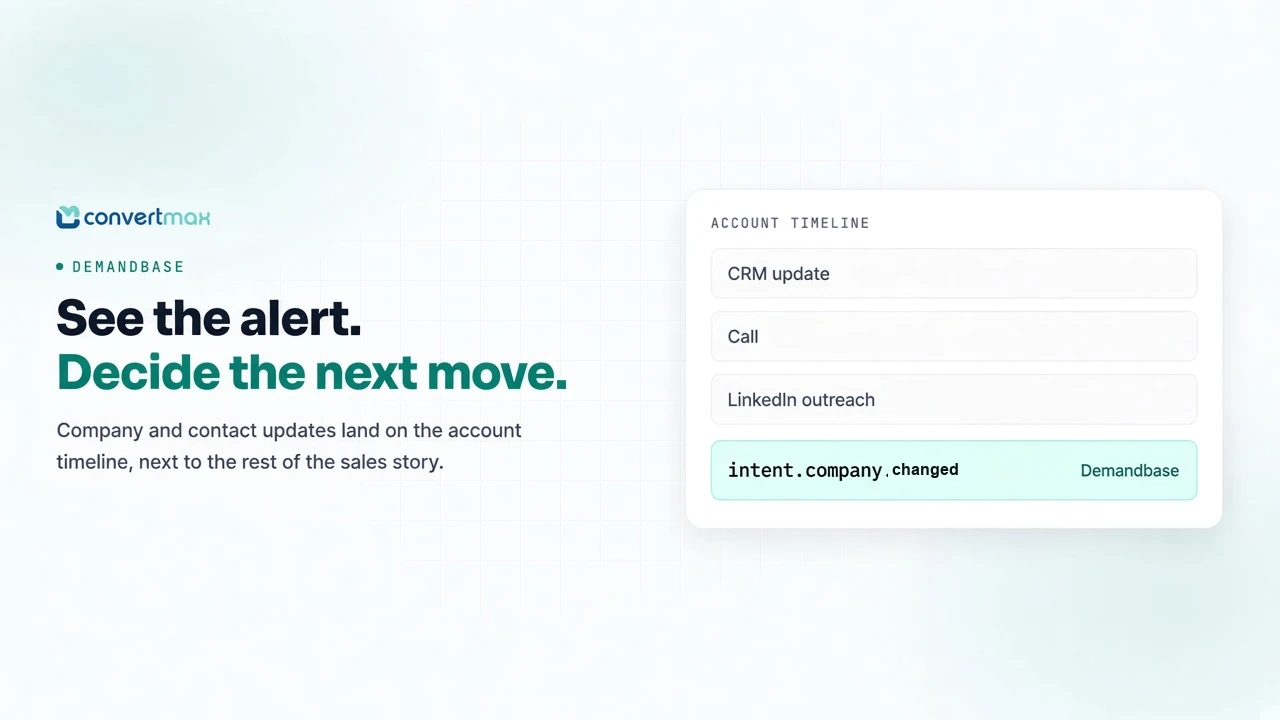
Knowing which accounts to focus on is one of the hardest parts of prospecting. An account may look like a good fit, but a change in its profile, a relevant piece of news, or an update about a contact can give your team a reason to take a closer look.
The challenge is making those signals useful in the middle of a busy sales day. If reps have to switch between tools to find them, important updates can get buried.
The Demandbase integration brings subscription alerts into Convertmax as intent events. Those events appear in Sales Intelligence timelines and can also flow into Make.com automations when Make is connected. Your team can review Demandbase activity alongside other sales signals and decide what deserves attention next. For how Demandbase fits with the other Pipeline integrations, see enriching Sales Intelligence and triggering workflows.
Bring account and contact updates into your sales workflow
Sales teams don't work from intent data alone. They also need to know what’s already happened with an account: the CRM updates, calls, LinkedIn outreach, and other activity that shape the next conversation.
Intent events appear on the account’s Sales Intelligence timeline alongside those other signals, so sellers see intent in the same workflow they use to prioritize outreach, not in a separate dashboard. A rep can use the surrounding history to decide whether follow-up makes sense.
For example, a Demandbase company alert may indicate a change in an account’s intent profile. A rep can review that update alongside recent activity before choosing whether to reach out, investigate further, or focus elsewhere. A person update can help surface a contact for review, while company news or a family tree change can add context to account planning.
An alert is a signal to investigate, not proof that an account or person is ready to buy. The value comes from seeing the update in context and making a better-informed decision.
Four types of Demandbase alerts, one consistent event format
Convertmax receives Demandbase Subscription API alerts and maps them to four platform event types:
- Account intent or profile changes:
Companyalerts becomeintent.company.changedevents. - Account news:
CompanyNewsalerts becomeintent.company.newsevents. - Person profile changes:
DBPersonandPersonalerts becomeintent.person.changedevents. - Account family tree changes:
CompanyFamilyTreealerts becomeintent.company.family_treeevents.
This consistent event format helps bring different Demandbase updates into the same Convertmax workflow. Whether the update relates to an account, a person, or company news, your team can review it alongside the activity already recorded in Sales Intelligence.
Put alerts to work with Make.com
Some updates are useful to read on a timeline. Others may warrant a notification or a task for someone on your team.
Make Watch is the Convertmax feed that Make.com scenarios listen to. When Make.com is connected, Demandbase intent events fan out to Make Watch. A scenario can then create a follow-up task, send a notification, or update a record. The event prompts a review; the rep still decides what to do next.
For example, your team could build a scenario that creates a task when a company change event arrives. You choose that automation rather than relying on every alert to trigger a predefined action. The Sales Intelligence automation documentation covers how those scenarios are set up.
Connect Demandbase to Convertmax
To set up the integration:
- In Convertmax, navigate to Integrations → Connectors → Demandbase.
- Optionally, add your Demandbase subscription
signingSecret. We recommend configuring it so Convertmax can verify alert signatures. - Copy the generated Convertmax webhook URL. Each tenant receives its own endpoint.
- In Demandbase, create a Subscription API webhook and point it to the copied URL.
After setup, supported Demandbase alerts appear on Sales Intelligence timelines and, when Make.com is connected, fan out through Make Watch.
Give your team a clearer place to start
The best prospecting decisions draw on more than one signal. Demandbase adds account and contact updates; Convertmax brings them into the timeline where your team can see the rest of the story.
To get started, open Integrations → Connectors → Demandbase in Convertmax and connect your subscription webhook.