By Priya Lang
How to Use Convertmax to Build a Weekly Wasted Ad Spend Review
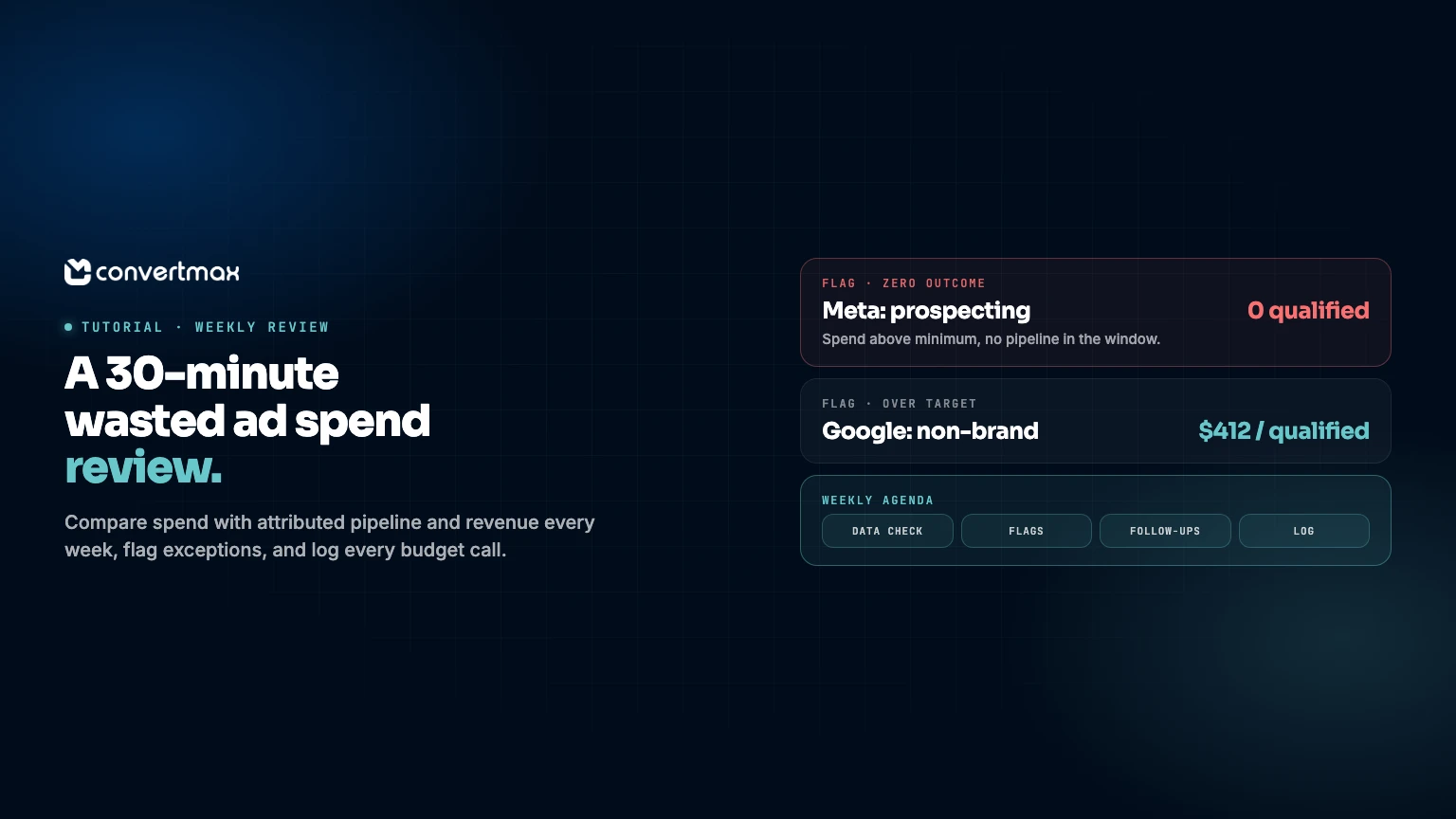
Most wasted ad spend is not hidden. It sits in plain sight, in campaigns that produce clicks and leads but rarely produce customers, and it keeps running because nobody reviews spend against revenue on a regular schedule.
The usual pattern goes like this. Someone pulls a big attribution analysis once a quarter. It finds a few problems. A couple of budgets change. Then the analysis goes stale, the ad accounts drift, and three months later the same conversation starts again.
A short weekly review fixes that better than a big quarterly one. This tutorial shows how to set one up with Convertmax: what to connect, what goes in the report, how to read it, and how to record decisions so they stick. It is part of our How to Use Convertmax for [Outcome] series, and it pairs well with How to Use Convertmax to Stop Optimizing Google Ads for Bad Leads.
What "wasted" means in this review
"Wasted ad spend" is easy to say and hard to define. For this review, use a narrow, testable definition:
Wasted spend is spend on a campaign that, over a window long enough to judge, has produced no qualified pipeline or revenue, or has produced it at a cost the business has already decided it will not pay.
That definition does two useful things. It ties waste to a revenue outcome instead of a click metric, and it forces the team to agree on what cost is acceptable before looking at the numbers. Without that agreement, every review turns into a debate about thresholds.
It also means this review will not promise a dollar figure saved. It will find spend that is not earning its place, and it will make the reasoning for each change visible.
Set the ground rules once
Agree on four things before the first review. Write them at the top of the review document.
- One revenue definition. Closed-won deal amount, paid invoice, or net order revenue. Pick one and use it for every channel. Pipeline, booked revenue, and collected cash are different numbers.
- One early milestone. Usually qualified lead or opportunity created. This gives you a signal on recent spend while revenue is still catching up.
- A judging window. Roughly your typical time from first click to revenue. If most customers close within 60 days, a campaign launched last week cannot be judged on revenue yet.
- Target costs. A maximum cost per qualified lead and a minimum revenue per dollar of spend, by channel if they differ. These are business decisions, not analytics ones.
Connect what the review needs
The review compares two sides. Spend comes from the ad platforms. Pipeline and revenue come from Convertmax, attributed back to the campaigns and journeys that produced them.
On the Convertmax side, the connected chain looks like this:
- First-party tracking on your site and landing pages, so each visit keeps its campaign, UTM, and click details.
- Lead capture from forms, bookings, and tracked calls through CallRail or CallTrackingMetrics where phone leads matter.
- CRM or billing outcomes from systems such as HubSpot, Pipedrive, HighLevel, Jobber, Stripe, or Shopify, tied to the journey by email, CRM ID, or order ID.
If the chain is not complete yet, start with one channel. A clean weekly review of paid search beats a messy one across every channel.
Build the review table
One table, same columns every week. Use a trailing window equal to your judging window, plus a short recent window for early signals.
| Channel / campaign | Spend | Qualified | Cost per qualified | Revenue | Revenue per $1 | Flag |
|---|---|---|---|---|---|---|
| Google: brand | ||||||
| Google: non-brand | ||||||
| Meta: prospecting | ||||||
| Meta: retargeting | ||||||
Fill the Flag column with one of three values:
- Over target: cost per qualified or revenue per dollar is outside the agreed target for the full window.
- Zero outcome: spend above a minimum level with no qualified pipeline or revenue in the window.
- Moved: a sharp change compared with last week's review, in either direction.
Everything else is unflagged and gets no discussion time. That rule keeps the meeting short.
If your team uses Slack, Max Brief can deliver a summary of what moved to a channel ahead of the review, and you can ask Max follow-up questions in the same thread, such as "Which Meta campaigns created leads in the last 60 days that never became opportunities?" That gives people something to read before the meeting rather than during it.
Run the 30-minute review
Keep the agenda fixed.
- Data check (5 minutes). Is any source missing this week? Did unattributed revenue jump? If the data is broken, fix that first and skip budget changes this week.
- Flags (15 minutes). Go through flagged rows only. For each, decide one action: hold, reduce, pause, shift to a named campaign, or fix lead handling.
- Follow-ups (5 minutes). Revisit last week's decisions. Did the change happen? What moved?
- Log (5 minutes). Write each decision down.
The fix-lead-handling option matters. Sometimes a campaign looks wasteful because good leads waited two days for a call. The answer there is a routing or follow-up change, not a budget cut.
Validate before you cut
Before pausing anything, run two checks on the flagged campaign:
- Trace a sample. Pick a few leads from the campaign and follow them into the CRM. Are they really unqualified, or are they missing a stage update?
- Check other models. Look at the same campaign under first-touch and multi-touch views. A campaign that rarely closes on its own but often starts journeys that close elsewhere is not waste. It may just be early in the path.
Also check unattributed revenue. If a large share of revenue has no originating source, the review is working from partial data. Treat that as the first problem to fix, and hold big cuts until it is smaller.
Keep a decision log
The log is the part teams skip and later regret. One line per decision:
| Date | Campaign | Flag | Decision | Reason | Revisit on |
|---|---|---|---|---|---|
After a quarter, the log becomes the most useful document in the account. It shows which kinds of cuts paid off, which campaigns keep reappearing, and whether the targets were set sensibly. It also stops the same debate from starting fresh every few weeks.
What to expect
The first few reviews mostly surface data problems: campaigns missing UTMs, leads not matched to CRM records, deals closed without amounts. That is normal, and fixing them is useful on its own.
After that, the review usually settles into a steady rhythm. Most weeks, two or three flags and one or two small changes. Occasionally, a larger reallocation backed by several weeks of evidence. That steadiness is the point. Budget follows revenue a little more closely every week, and nobody has to rebuild the case from scratch.
If you want to see what this review looks like on your own data, book a Convertmax demo and we will walk through a sample weekly report with your channels. If you are not sure your tracking is ready for it, start with a free attribution accuracy audit.